
Glossary
What is a CRM and what is it for
CRM is one of the most used acronyms in sales and support. This page explains what it means, what a CRM does in a company's day to day and how to pick one your team will actually use.
- 7-day free trial
- No credit card
- Cancel anytime
The short answer
A CRM is Customer Relationship Management software. In practice, it is the system where a company keeps who its customers are, everything said to each one and where each deal stands in the sale. It makes sure nobody is forgotten, the team works from the same information and the owner sees what comes in and what closes.
What a CRM is for in a company
- Keep each customer's full history in one place, not in each salesperson's memory or phone
- Show which stage of the sale each contact is in, from first contact to close
- Split the work: every conversation or deal has an owner
- Stop a contact from going unanswered or being handled by two people at once
- Give the manager numbers: how many contacts came in, how many closed and the conversion rate
- Keep the customer with the company when an employee leaves, because the history stays in the system
The types of CRM
The classic market split separates CRM into three types. Modern systems usually combine all three in the same tool.
| Type | What it does | Day to day example |
|---|---|---|
| Operational | Organizes sales and support work | Conversation queue, sales funnel, calendar |
| Analytical | Turns history into numbers for decisions | Report on inbound contacts, closings and conversion |
| Collaborative | Lets the whole team see the same customer | Handoff between departments without losing history |
Sales CRM and support CRM
A sales CRM focuses on the funnel: contact, proposal, negotiation and close. A support CRM focuses on the conversation: queue, owner, response time and history. For anyone who sells over WhatsApp, both happen in the same conversation. That is why the most useful CRM today puts the message inbox and the sales funnel in the same place.
Spreadsheet, phone or CRM
| Point | Spreadsheet or WhatsApp on a phone | CRM |
|---|---|---|
| Customer history | Scattered across devices and files | One unified history per customer |
| Team | Everyone does it their own way | Every conversation has an owner and a queue |
| Sale stage | Written by hand, when written at all | Visual funnel that shows everything at once |
| Numbers | Counted at the end of the month | Report ready at any time |
How atendIA does it
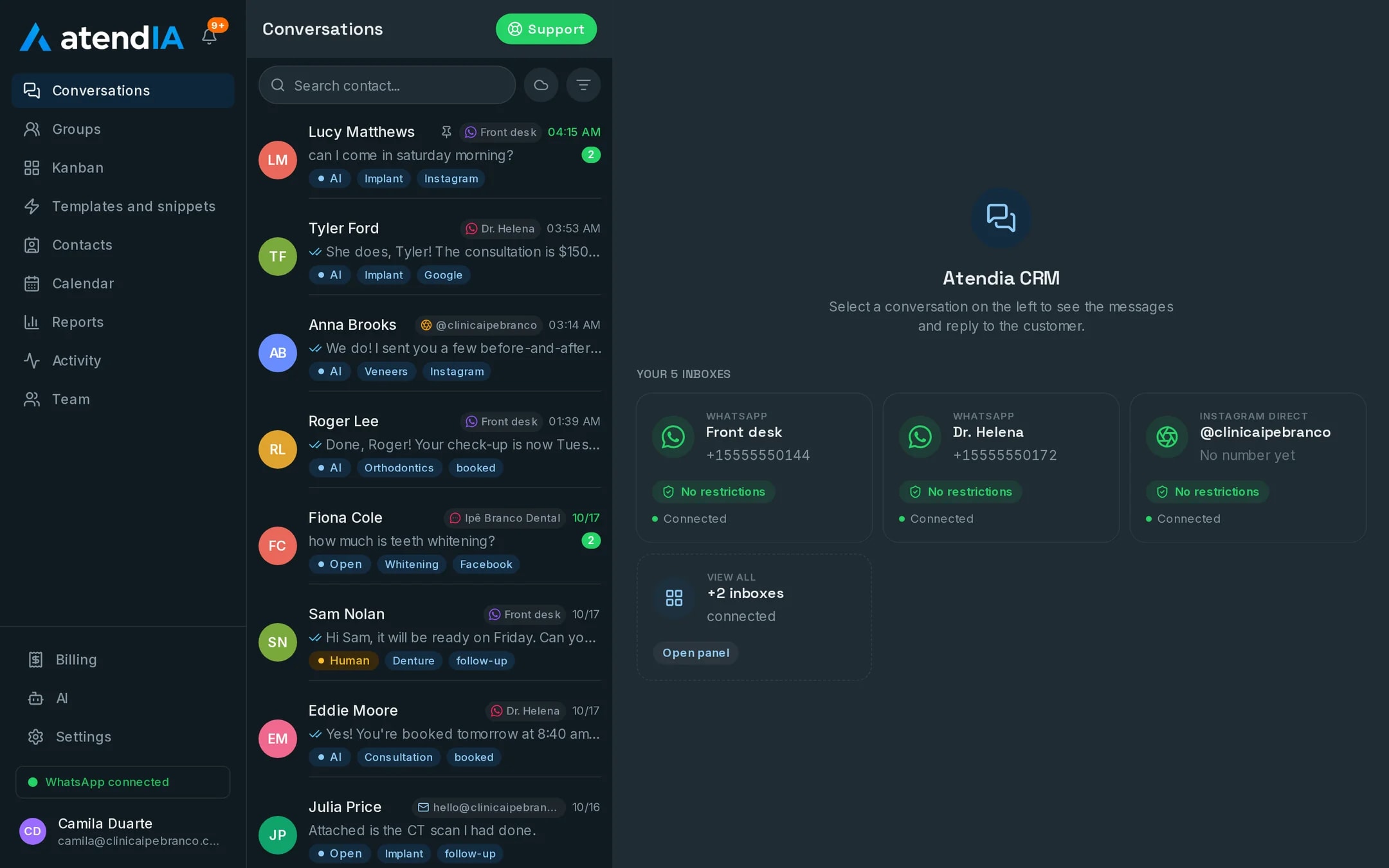
atendIA is a CRM that opens in the browser, with nothing to install, and puts WhatsApp, Instagram, Messenger and email in a single inbox, with a unified history for each customer. It has a visual drag and drop sales funnel with your company's stages, a queue with automatic distribution, tags, a calendar and a conversion report. The team is unlimited, with no per user charge, on every plan.
- More than 220,000 messages exchanged with end customers
- More than 26,000 conversations handled from start to finish
- More than 20,000 appointments booked inside WhatsApp
How to get started
- 1Create your accountSign up with your company details. 7 days free, no credit card.
- 2Connect WhatsAppScan the QR code, just like WhatsApp Web. Your number and conversations stay the same.
- 3Build your funnelCreate the stages of your sale and invite the team. Every conversation now has an owner and a stage.
Plans and pricing
The Basic plan, at $49 a month, already includes the inbox, the funnel and the reports. Essential, at $99, adds the AI that answers 24 hours a day.
See all plansFrequently asked questions
What does the acronym CRM stand for?
Customer Relationship Management. The term covers both the strategy and the system a company uses to put it into practice.
Does a small business need a CRM?
Yes, as soon as more than one person handles customers or contacts start getting lost on a phone. A CRM organizes the routine from the start and grows with the team.
Will my team be able to use it?
Yes. The dashboard works like WhatsApp with more features: conversations on the left, the open conversation next to them and the pipeline as a drag and drop board. Your team starts answering the same day, with no formal training.
Do I need a credit card to try it?
No. Signing up only asks for your company details, phone, email and password. The 7 days are free, and billing only starts if you decide to continue. You cancel from the dashboard itself.
Updated on
Start serving customers better today
Try atendIA for 7 days with your team and your customers. No credit card, no long-term contract.