
AI inside the CRM
AI CRM that answers, qualifies and books on its own
The atendIA AI is not a menu chatbot hanging off the side of the CRM. It answers inside the same inbox where your team works, reads the customer history, and hands the chat to a person whenever you say so.
- 7-day free trial
- No credit card
- Cancel anytime
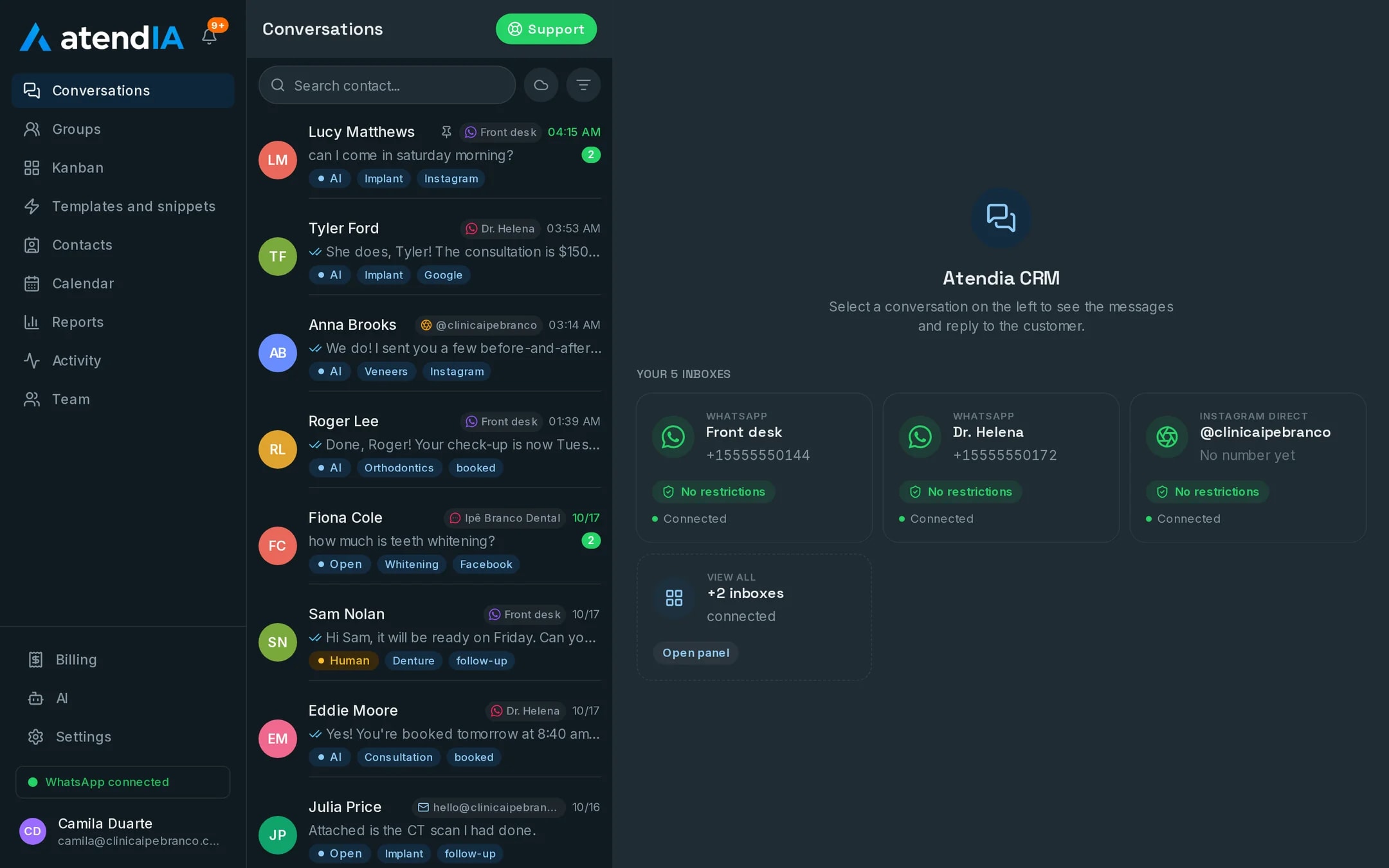
AI inside the CRM vs. a chatbot next to it
A flowchart chatbot answers what is on the drawing and gets stuck on the first request nobody planned for. It also lives outside the CRM, so what was said there never shows up in the customer history. Here the AI is part of the inbox: same conversation, same contact, same pipeline, and a human agent takes over midway without the customer repeating anything.
What the AI does, and from which plan
The full table, plan by plan, so you can pick what makes sense for your company.
| What the AI does | Essential | Professional |
|---|---|---|
| Answers 24 hours in your brand tone | Yes | Yes |
| Understands the voice notes customers send | Yes | Yes |
| Follows the rules on what it must never promise | Yes | Yes |
| Hands the chat to your team in one click | Yes | Yes |
| You edit its instructions in the dashboard | Yes | Yes |
| The AI cost is already in the plan price | Yes | Yes |
| Checks your services, prices and duration | No | Yes |
| Sees the open slot and books it in the chat | No | Yes |
You write what it says
At signup you answer a form about the business: what you sell, prices, hours and what it must never promise. The AI comes out ready from that. Later, if a price changed or it answered badly, you open the AI screen in the dashboard, edit and save. No developer prompts, no flowcharts and no support ticket.
Plans and pricing
The AI starts on Essential, from $99 a month. The AI that checks prices and books is Professional, from $199. Basic, from $49, is the CRM without AI.
See all plansFrequently asked questions
How is the AI set up?
You fill in a form about your business: what you sell, prices, opening hours and what it must never promise. The AI starts answering from that, and its instructions stay editable in the dashboard.
Can the AI make up prices or promise things we do not do?
It answers within the rules you set, including what it must never promise and when to hand over to a person. On the Professional plan, price and duration come from your service catalog, not from a guess.
Will my team be able to use it?
Yes. The dashboard works like WhatsApp with more features: conversations on the left, the open conversation next to them and the pipeline as a drag and drop board. Your team starts answering the same day, with no formal training.
Can I change plans later?
At any time, from the dashboard. Moving to a bigger plan takes effect right away; to a smaller one, on the next billing cycle.
Updated on
Start serving customers better today
Try atendIA for 7 days with your team and your customers. No credit card, no long-term contract.