
WhatsApp chatbot
WhatsApp chatbot: from the department menu to an AI that converses
At atendIA the chatbot comes on two levels. The first greets the customer and sends them to the right team, on every plan. The second is an AI that understands what the person writes or says and answers like someone on your team.
- 7-day free trial
- No credit card
- Cancel anytime
The short answer
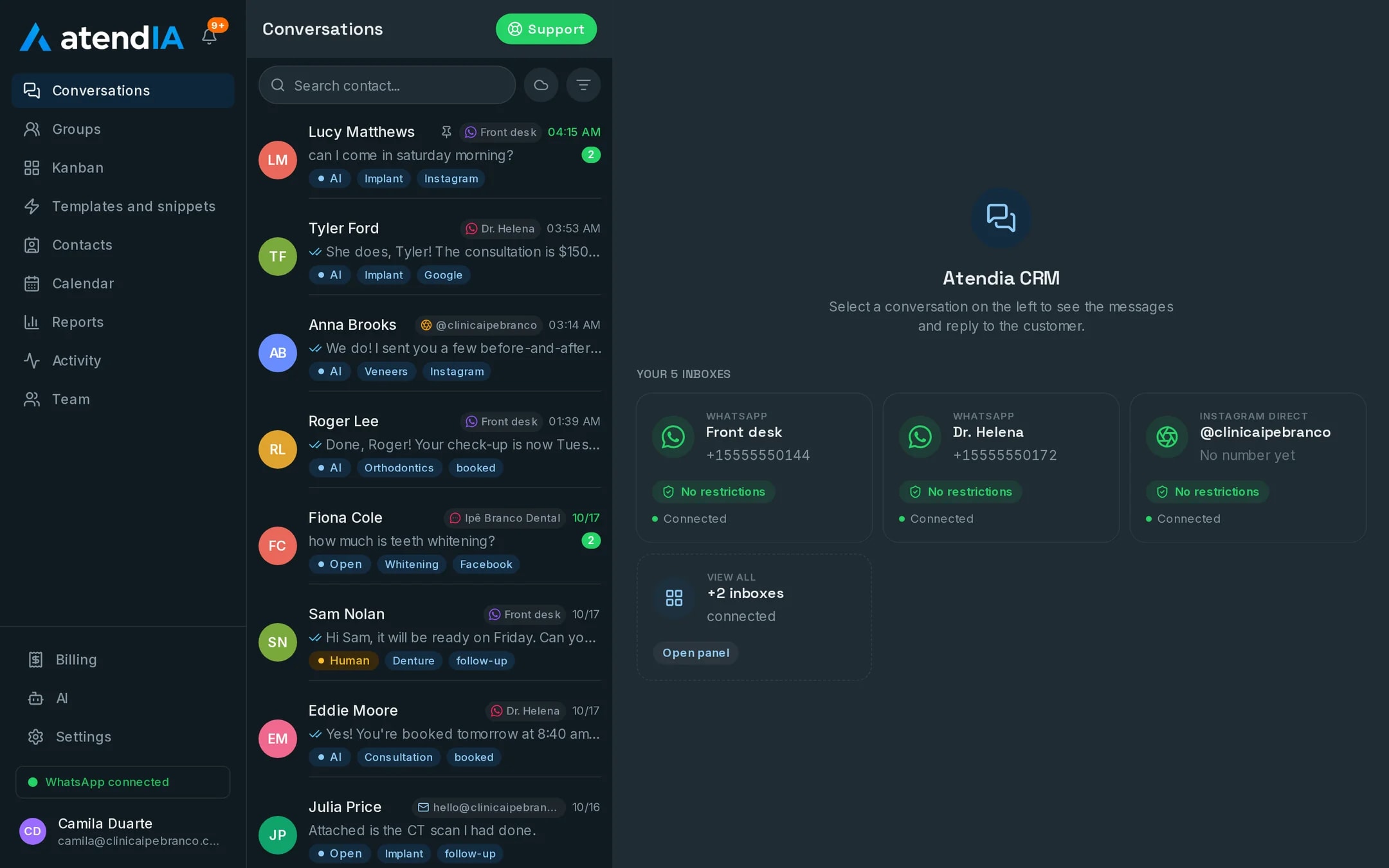
A WhatsApp chatbot is what answers the customer before a person joins the conversation. At atendIA, every plan already has the automatic greeting and department menu. From Essential, an AI takes over the conversation for real, 24 hours a day, and hands it to your team in the same history when needed.
Level 1: the menu that organizes the queue
The customer sends the first message and gets the company greeting with the department options. They pick, for example, Sales, Billing or Support, and the chat goes straight to that department queue. There, distribution hands it to the next agent or to whoever is least busy. Nobody has to sort messages by hand.
Level 2: the AI that really converses
- Answers 24 hours, in your brand tone, on WhatsApp, Instagram and Messenger
- Understands the voice notes customers send, not just text
- Follows the rules on what to never promise and when to bring in a person
- Hands the chat to your team in one click, in the same history
- Alerts a team group when it hands over to a human and when it closes
- On Professional, checks the services and prices in your catalog and books the slot on the calendar
Flowchart chatbot or the atendIA AI
A traditional chatbot is a drawing of boxes: each question has a planned path. The atendIA AI reads what the person wrote and answers based on what you entered about the business.
| Situation | Flowchart chatbot | atendIA AI |
|---|---|---|
| The customer writes in their own words | Asks them to type 1, 2 or 3 | Understands and answers |
| The customer sends a voice note | Gets stuck or ignores it | Understands the voice note and answers |
| A price or hours changed | Redraw the flow | Edit the instructions in the dashboard |
| A question nobody planned for | Goes back to the menu | Answers or brings in a person |
| Time to hand over to a human | Another system, no history | Same conversation, with history |
No coding and no flows to build
You do not draw a decision tree. At signup you fill in a form with what you sell, prices and hours, and the AI comes out ready from that. After that, any change is yours to make, on the AI screen inside the dashboard.
How to get started
- 1Create your accountSign up with your company details. 7 days free, no credit card.
- 2Connect WhatsAppScan the QR code, just like WhatsApp Web. Your number and conversations stay the same.
- 3Set up the departments and the AICreate the departments that will show up in the menu and, on Essential or Professional, fill in the AI form.
Plans and pricing
The automatic department menu is on every plan, starting at Basic, $49 a month. The AI that converses starts on Essential, $99, and the AI that quotes prices and books is Professional, $199.
See all plansFrequently asked questions
What is the difference between the automatic menu and the AI?
The menu greets the customer and sends them to the right department, and it is on every plan. The AI, from Essential, really converses: it understands text and voice notes, answers in the company tone and brings in a person when needed.
How is the AI set up?
You fill in a form about your business: what you sell, prices, opening hours and what it must never promise. The AI starts answering from that, and its instructions stay editable in the dashboard.
Can the AI make up prices or promise things we do not do?
It answers within the rules you set, including what it must never promise and when to hand over to a person. On the Professional plan, price and duration come from your service catalog, not from a guess.
Do I have to change my WhatsApp number?
No. You connect the number you already use, and conversations stay the same for your customers.
Do I need a credit card to try it?
No. Signing up only asks for your company details, phone, email and password. The 7 days are free, and billing only starts if you decide to continue. You cancel from the dashboard itself.
Updated on
Start serving customers better today
Try atendIA for 7 days with your team and your customers. No credit card, no long-term contract.