
Practical guide
How to organize WhatsApp customer service in 7 steps
Messy customer service on WhatsApp always has the same symptoms: customers with no reply, two agents talking to the same person and nobody knowing how many sales came out of the conversations. Organization comes from a simple sequence. Below is each step and how to do it on atendIA.
- 7-day free trial
- No credit card
- Cancel anytime
The short answer
To organize WhatsApp customer service, bring everything into one number, split it by department, put conversations in a queue with an owner and standardize the replies. Then track each customer in a pipeline, let the AI cover the hours your team is away and measure the result every week.
The 7 steps
- 11. Centralize on one numberScan the QR code in atendIA and every agent uses the same number from the browser. The number stays the same for the customer. If the company has more than one number, up to 10 go into the same inbox.
- 22. Create the departmentsAdd the departments, such as sales, billing and support. The automatic greeting and department menu ask the customer what it is about and send the conversation to the right queue.
- 33. Organize the queue and the ownerTurn on automatic distribution by round robin or to whoever is least busy. Each conversation gets an owner, and one that sits idle goes back to the queue instead of being forgotten.
- 44. Standardize the repliesAdd quick replies for price, address, payment methods and lead times. The team answers in seconds and everyone says the same thing.
- 55. Use tags and a pipelineTag conversations and track each customer in the visual drag and drop pipeline, with your company's stages. It is clear who is negotiating and who has already closed.
- 66. Let the AI cover after hoursOn the Essential plan the AI replies 24 hours a day in your company's tone, understands voice messages and hands over to the team with one click when a person is needed. The customer who writes at night is already served.
- 77. Measure every weekOpen the report on new leads, closings and conversion. With the record of who did what and the tag for the ad that brought each conversation, you know where to invest.
How to reply well to customers on WhatsApp
- Reply fast, even if it is only to say you will look into it
- Address the customer by name and read the history before replying
- Listen to the voice message or read the transcript, and do not ask them to repeat
- Transfer to the right department without making the customer tell the story again
- Close the conversation with the agreed next step
Before and after getting organized
| Problem | Step that solves it | atendIA feature |
|---|---|---|
| Customer waiting with no reply | Queue and owner | An idle conversation goes back to the queue |
| Two agents in the same conversation | Queue and owner | Each conversation with one owner |
| Customer repeating the story | Departments | Transfer without losing history |
| Sale that vanishes among the messages | Tags and pipeline | Visual drag and drop pipeline |
| Night message with no reply | AI after hours | AI replying 24 hours a day |
Plans and pricing
Steps 1 to 5 and step 7 are on every plan, from Basic at $49. Step 6, with the AI, starts on Essential at $99.
See all plansFrequently asked questions
How do I organize the customer service queue on WhatsApp?
Split it by department, let the automatic menu send the customer to the right queue and distribute conversations by round robin or to whoever is least busy. Each conversation stays with an owner, and one that stalls goes back to the queue.
Will my team be able to use it?
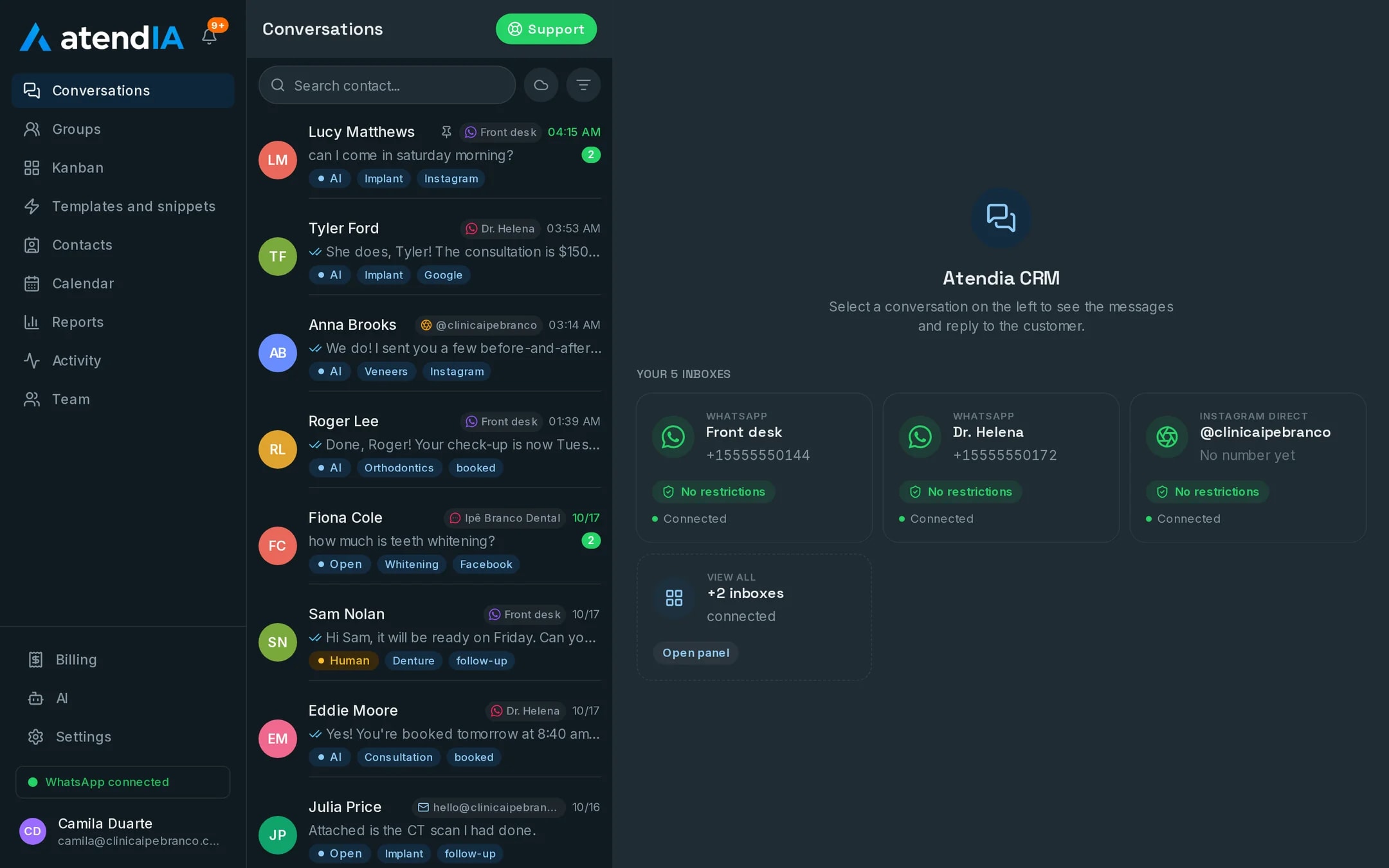
Yes. The dashboard works like WhatsApp with more features: conversations on the left, the open conversation next to them and the pipeline as a drag and drop board. Your team starts answering the same day, with no formal training.
How is the AI set up?
You fill in a form about your business: what you sell, prices, opening hours and what it must never promise. The AI starts answering from that, and its instructions stay editable in the dashboard.
Do I have to change my WhatsApp number?
No. You connect the number you already use, and conversations stay the same for your customers.
Updated on
Start serving customers better today
Try atendIA for 7 days with your team and your customers. No credit card, no long-term contract.