
Guide for managers
WhatsApp customer service software: what the manager needs to see
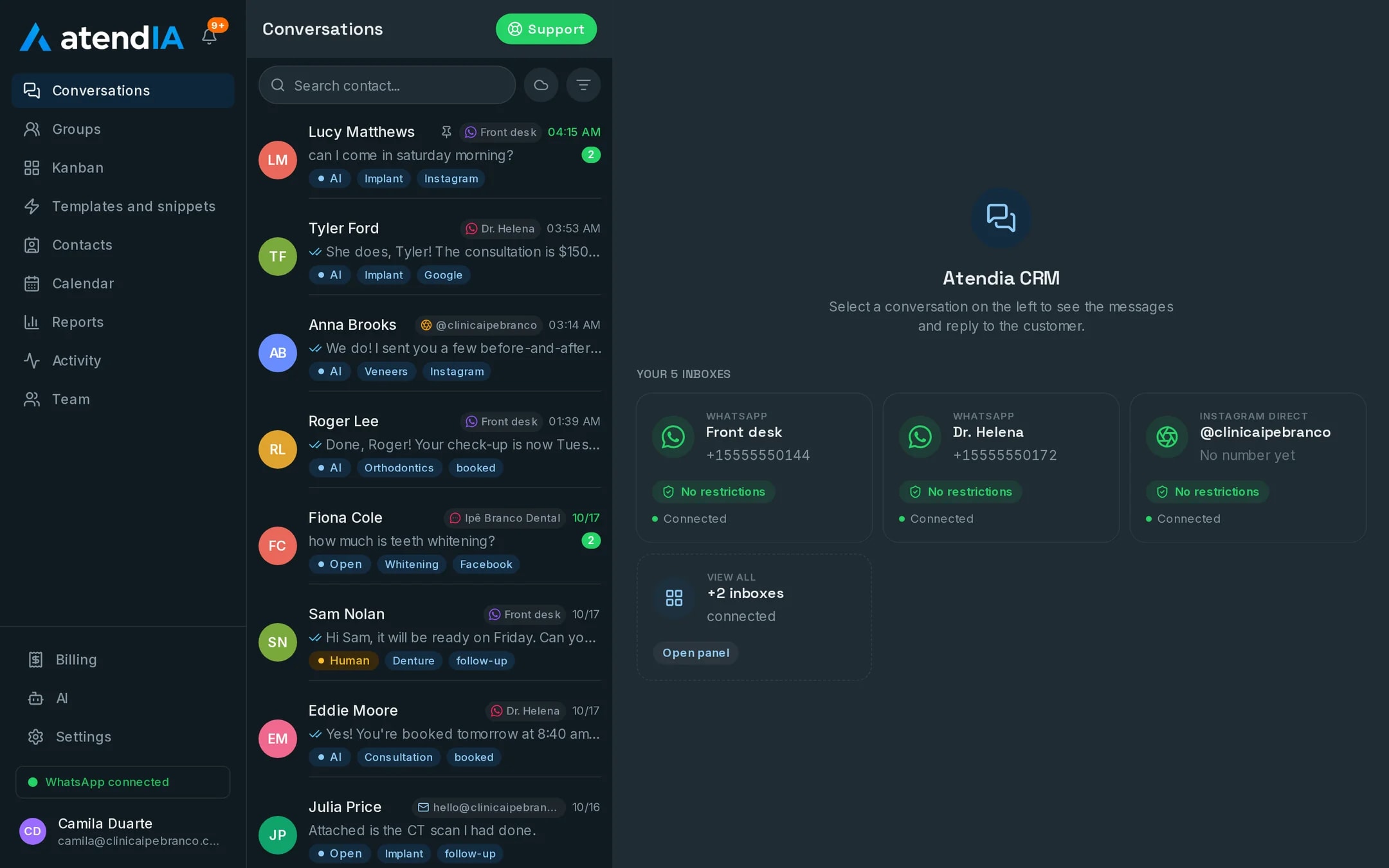
Customer service software is not just a way to answer messages. It lets the manager know how many customers came in, who is handling each one, how long they waited and how many became sales. Here is what good software needs to have and how atendIA delivers each part.
- 7-day free trial
- No credit card
- Cancel anytime
The short answer
WhatsApp customer service software for businesses organizes conversations into a queue and departments, gives each customer an owner, records who did what and shows conversion reports. atendIA does all of that on every plan, from $49, and adds an AI that replies 24 hours a day from Essential.
What customer service software needs to have
| The software needs | How atendIA does it |
|---|---|
| An organized queue | Automatic distribution by round robin or to whoever is least busy |
| Departments | Automatic greeting and department menu send the customer to the right queue |
| An owner per conversation | Each conversation has an owner, and an idle one goes back to the queue |
| Transfers | Between agents and departments, without losing history |
| Audit trail | A record of who did what in each conversation |
| Reports | New leads, closings and conversion |
| Customer source | A tag for the Facebook or Instagram ad that brought the conversation |
| AI | Replies 24 hours a day, follows rules and brings in a person when needed |
| Integration | Documented API and webhooks for ERP and management systems, as an add-on |
Customer service software with AI
On Essential the AI replies in your company's tone on WhatsApp, Instagram and Messenger, understands voice messages and follows the rules on what never to promise and when to bring in a person. The handover to the team happens with one click, in the same history, and a group gets a notice when the conversation goes to a human and when it closes. On Professional the AI also reads services and prices from your catalog and books the appointment in the conversation.
What the manager tracks
- How many conversations came in and how many became closings
- Which pipeline stage each customer is in
- Who answered, who transferred and who closed each conversation
- Which ad brought the conversations that convert best
- Which conversations are stalled waiting for a reply
Setup without a long project
- 1Create your accountSign up with your company details. 7 days free, no credit card.
- 2Connect WhatsAppScan the QR code, just like WhatsApp Web. Your number and conversations stay the same.
- 3Set up the departments and the queueCreate the departments, pick the distribution rule and invite the team, with no cost per user.
- 4Turn on the AIFill in the form with what you sell, prices and hours. The instructions stay editable in the dashboard.
Plans and pricing
Queue, departments, records and reports are on Basic, at $49. The customer service AI comes with Essential, at $99, and the AI that books appointments with Professional, at $199, with priority support.
See all plansFrequently asked questions
Can the AI make up prices or promise things we do not do?
It answers within the rules you set, including what it must never promise and when to hand over to a person. On the Professional plan, price and duration come from your service catalog, not from a guess.
Can it integrate with the system I already use?
Yes. atendIA has a documented API and webhooks for messages, contacts and appointments, available as an add-on on any plan.
Can the manager see who handled each customer?
Yes. Each conversation has an owner, and atendIA records who did what: who replied, who transferred and who closed. It all stays in the customer history.
Is there a limit on messages or users?
No. Messages are unlimited on every plan, and you add as many users as you need, with no per seat cost.
Updated on
Start serving customers better today
Try atendIA for 7 days with your team and your customers. No credit card, no long-term contract.