
Guide
WhatsApp CRM for sales: a complete system, not an extension
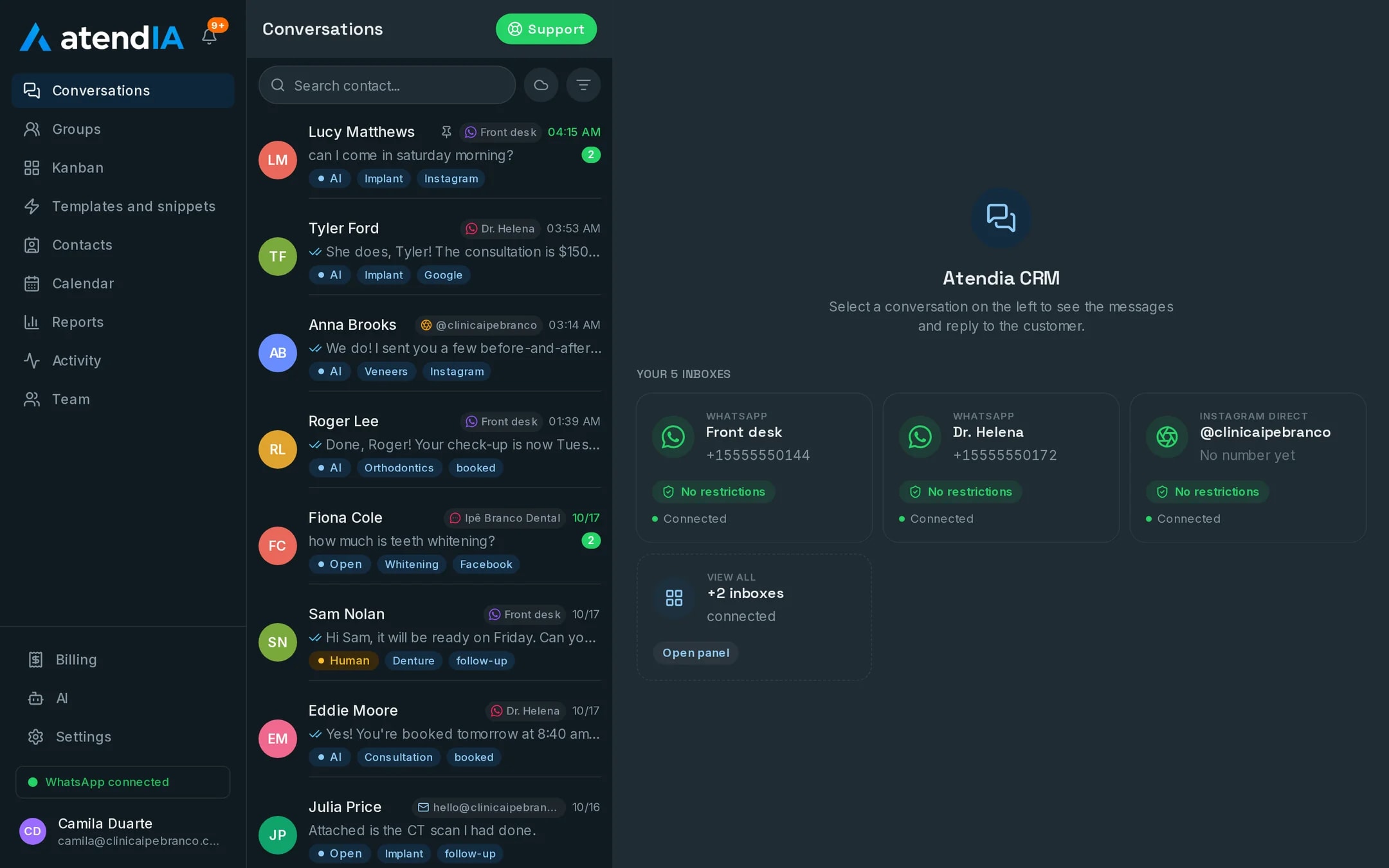
People who sell on WhatsApp usually start with an extension installed on top of WhatsApp Web. When the team grows, selling needs a real CRM, with a pipeline, a queue and a history everyone can see. atendIA is that CRM and it opens straight in the browser.
- 7-day free trial
- No credit card
- Cancel anytime
The short answer
A WhatsApp CRM for sales brings conversations, the pipeline and the team into one place. atendIA opens in the browser, with nothing to install, connects your number by QR code and brings a drag and drop pipeline, conversation distribution and an AI that answers 24 hours a day. You test it 7 days free, no credit card.
Browser CRM vs. a WhatsApp Web extension
An extension is a good start for a solo salesperson. Selling as a team needs a system of its own.
| Point | WhatsApp Web extension | atendIA CRM in the browser |
|---|---|---|
| Installation | On every computer | Nothing to install |
| Team on the same number | Depends on who has WhatsApp open | Everyone answers the same number, each conversation with an owner |
| Conversation distribution | By hand | Round robin or whoever is least busy |
| Channels | WhatsApp, Instagram, Messenger and email in the same inbox | |
| After hours service | Nobody answers | AI replies 24 hours a day on Essential |
| Results | Loose notes | Report on new leads, closings and conversion |
What a sales CRM needs to have
- A visual drag and drop sales pipeline, with your company's stages
- Each conversation with a salesperson as owner
- A tag for the Facebook or Instagram ad that brought each conversation
- Quick replies and WhatsApp templates for proposals and common questions
- Tags, filters and search in the customer history
- A record of who did what in each conversation
AI that qualifies while the team sells
On Essential, the AI replies in your company's tone, understands voice messages and follows the rules on when to bring in a salesperson. When the customer is ready, the conversation goes to the team with one click, in the same history. On Professional the AI also reads open slots and books appointments in the conversation.
An operation already running on atendIA
- More than 220,000 messages exchanged with end customers
- More than 26,000 conversations handled from start to finish
- More than 20,000 appointments booked inside WhatsApp
How to start
- 1Create your accountSign up with your company details. 7 days free, no credit card.
- 2Connect WhatsAppScan the QR code, just like WhatsApp Web. Your number and conversations stay the same.
- 3Build the pipeline and invite the teamCreate your sales stages and add the salespeople. The team is unlimited, with no per user charge.
Plans and pricing
To organize sales with a pipeline and a queue, Basic costs $49 per month. With the AI answering and qualifying, Essential costs $99.
See all plansFrequently asked questions
Do I need to install a browser extension?
No. atendIA opens in the browser, with nothing to install, and the WhatsApp number stays the same.
Which channels can I connect?
You connect WhatsApp yourself by scanning a QR code, with up to 10 numbers. Instagram, Messenger, Gmail and WhatsApp through the official Meta API are connected by our team, together with you. Everything lands in the same inbox.
Is there a limit on messages or users?
No. Messages are unlimited on every plan, and you add as many users as you need, with no per seat cost.
Can it integrate with the system I already use?
Yes. atendIA has a documented API and webhooks for messages, contacts and appointments, available as an add-on on any plan.
Updated on
Start serving customers better today
Try atendIA for 7 days with your team and your customers. No credit card, no long-term contract.