
Physical therapy
Physical therapy CRM, session by session on the right calendar
In physical therapy the patient does not come once, they come ten times. Every session needs a therapist, a room or machine and a time slot, and WhatsApp is where they ask to reschedule. Here the calendar handles the professional and the room at the same time, and the conversation stays with the clinic.
- 7-day free trial
- No credit card
- Cancel anytime
The short answer
A CRM for a physical therapy clinic organizes each patient's sessions on a calendar by therapist and by room, puts the WhatsApp of the front desk and the professionals on one number and keeps each patient's history. atendIA does that with no per-user charge and with an AI that replies and books through WhatsApp.
Professional and room at the same time
In physical therapy the bottleneck is usually space. The Pilates reformer, the aquatic therapy pool and the electrotherapy table each have their own hours, and so does the therapist. In atendIA each session is booked with a professional, a room and a length, and the system rejects any collision on either one.
| Service | Professional | Room or equipment |
|---|---|---|
| Initial evaluation | Lead therapist | Exam room, longer block |
| Orthopedic session | Therapist | Gym or treatment table |
| Clinical Pilates | Therapist-instructor | Pilates studio |
| Aquatic therapy | Aquatic therapist | Pool |
| Postural therapy | Specialist therapist | Private room |
Session packages without a spreadsheet
- Each session in the package booked on the therapist's calendar and the room's
- Rescheduling on WhatsApp with the calendar open on the same screen as the chat
- Tags by type of treatment, such as post-surgery, spine or sports
- Pipeline with the clinic's stages, from evaluation to a closed package and discharge
- Each therapist sees their own sessions on their phone through Google Calendar, Apple or Outlook
The AI that answers patients while you work
The therapist has hands on a patient and does not pick up the phone. On the Essential plan, the AI replies at any hour in your clinic's tone: it explains the evaluation, the treatments and the fees you entered, and understands the voice note of someone describing their pain. You define in the rules what it never promises, such as recovery time, and when it hands over to a person. On the Professional plan, it sees the open slot for the therapist and the room and books the session in the conversation.
Front desk, therapists and insurance on the same number
The automatic greeting shows the team menu: Scheduling, Self-pay, Insurance. The patient picks and lands in the right queue. The front desk transfers to the therapist without losing the history, each conversation has an owner and your whole team uses it at no per-person cost. To connect to your clinic management software, there is an API and webhooks as an add-on.
How to get started
- 1Create your accountSign up with your company details. 7 days free, no credit card.
- 2Connect WhatsAppScan the QR code, just like WhatsApp Web. Your number and conversations stay the same.
- 3Enter rooms and servicesPilates, aquatic therapy, gym and each type of session with its length and the therapist.
Plans and pricing
The calendar by therapist and room, the queue and the history are included from the Basic plan, at $49 a month. The AI that replies to patients is the Essential plan, at $99, and the one that books the session on its own is the Professional plan, at $199.
See all plansFrequently asked questions
Can I avoid two patients on the same Pilates machine?
Yes. The machine or the studio counts as a room on the calendar. The system rejects two bookings in the same room and time, and with the same therapist too, no matter who books.
Will my team be able to use it?
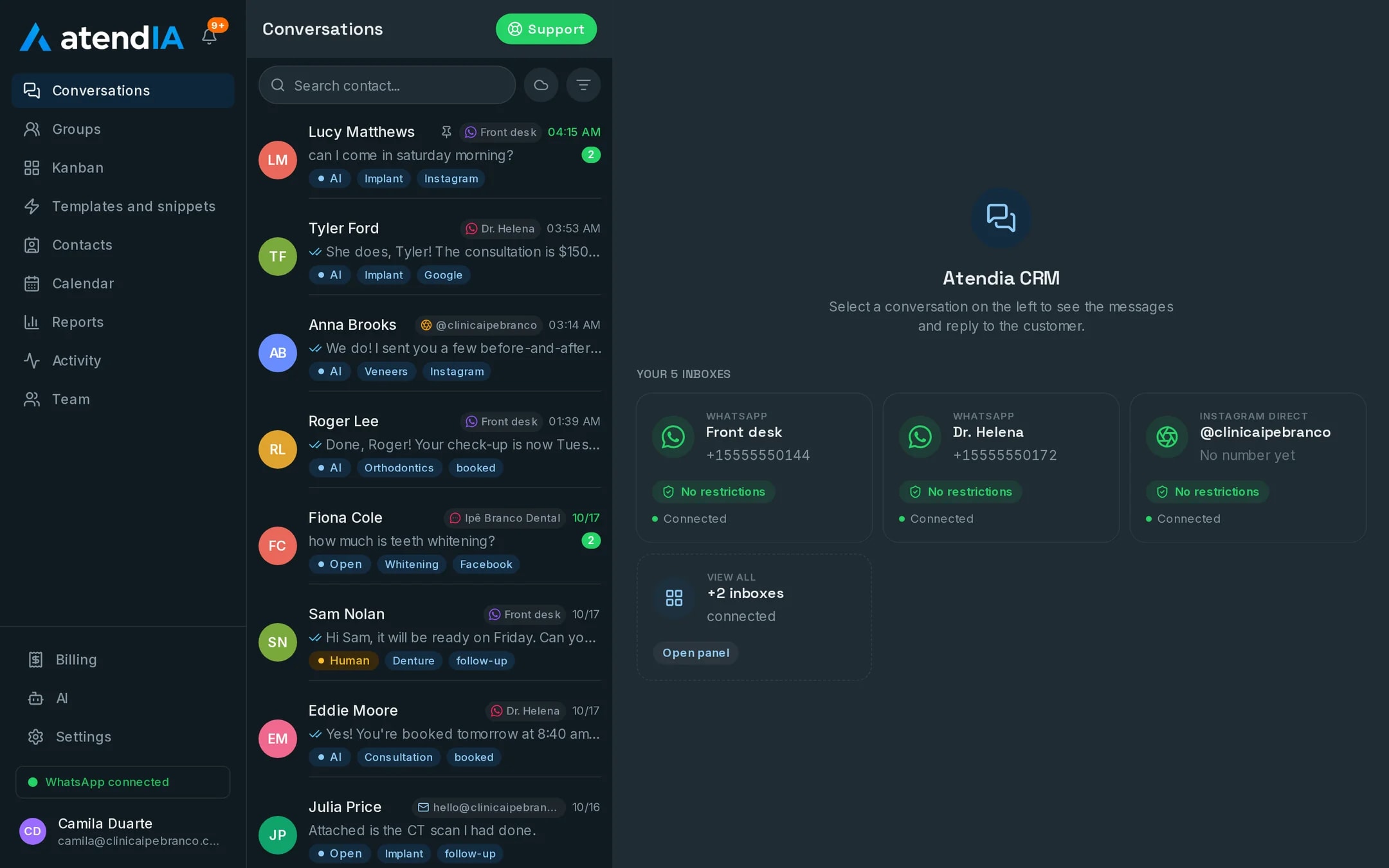
Yes. The dashboard works like WhatsApp with more features: conversations on the left, the open conversation next to them and the pipeline as a drag and drop board. Your team starts answering the same day, with no formal training.
Can it integrate with the system I already use?
Yes. atendIA has a documented API and webhooks for messages, contacts and appointments, available as an add-on on any plan.
Is there a limit on messages or users?
No. Messages are unlimited on every plan, and you add as many users as you need, with no per seat cost.
Updated on
Start serving customers better today
Try atendIA for 7 days with your team and your customers. No credit card, no long-term contract.