
Retail
Retail CRM for stores that sell on WhatsApp
At a neighborhood store, a lot of sales start on WhatsApp: a customer asks for a photo of the new piece, a couple asks about the delivery time for a sofa and someone wants to know what a screen replacement costs. Here those conversations stay on the store's number, with each salesperson handling their own customers, not on the phone of someone who might leave tomorrow.
- 7-day free trial
- No credit card
- Cancel anytime
The short answer
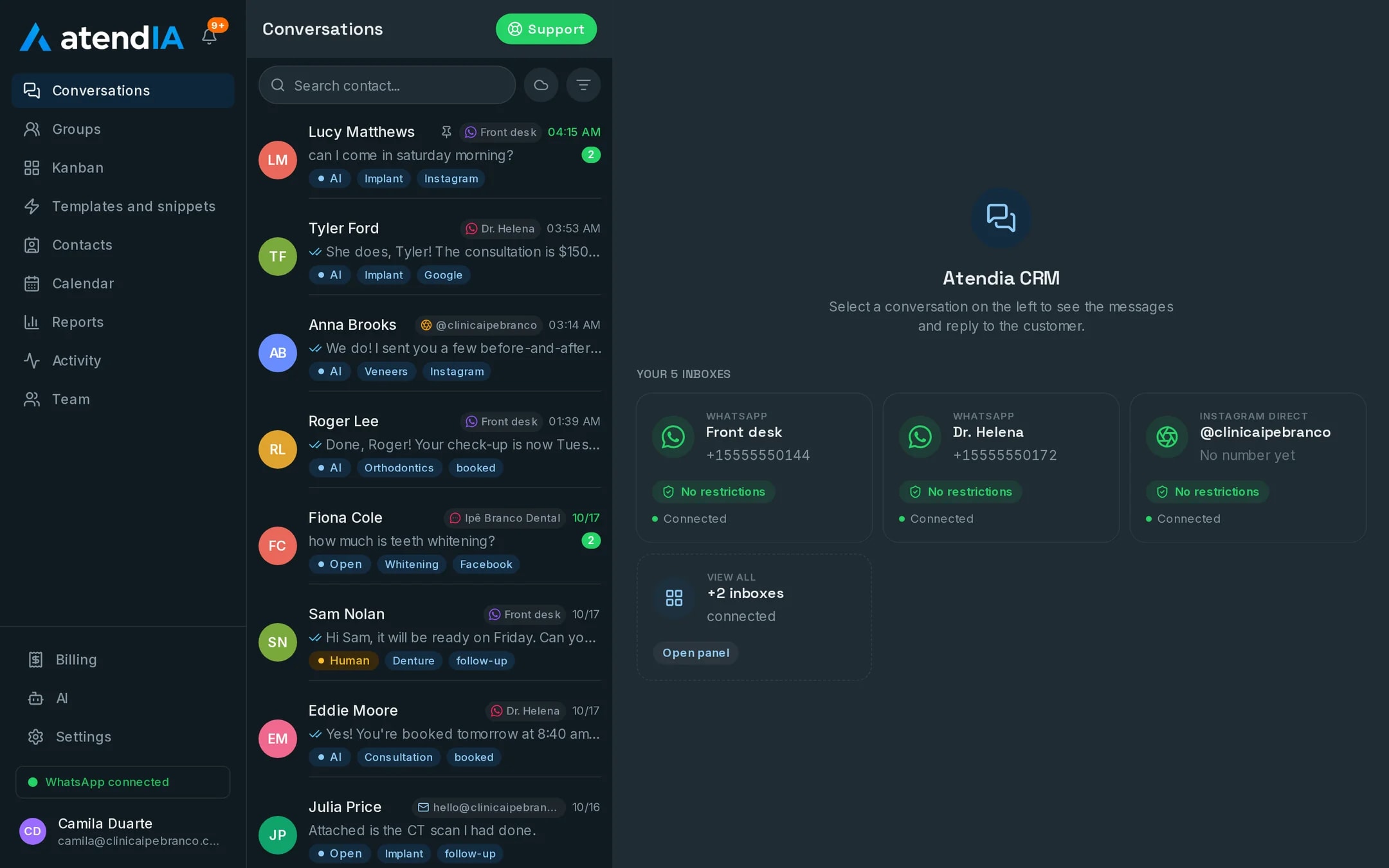
A retail CRM puts the store's WhatsApp and Instagram on one screen, with each customer tied to a salesperson, tags to find who buys what and a pipeline for sales that take more than a day. atendIA does that on the store's current number, with your whole team at no per-user cost and an AI that replies after hours.
Each type of store, a different routine
| Store | What happens on WhatsApp | How atendIA helps |
|---|---|---|
| Clothing store | The salesperson sends new arrivals to her customers | Each customer with an owner and a tag by style or size |
| Furniture store | A sale that takes weeks, with measurements and a quote | Pipeline with stages through delivery and assembly |
| Furniture store | A visit from the installer or the designer | The professional's calendar, with a length and no double booking |
| Phone store | Device sales and repairs on the same number | Sales and Repairs departments |
| Phone store | A question about the price of a screen replacement | The AI answers with what you entered |
The book of customers belongs to the store, not the salesperson
When a salesperson leaves, her customer list leaves with her on her phone. In atendIA everyone answers the same number from the browser, each with their own login. The customer keeps talking to the same salesperson, because the conversation has an owner, and if she leaves the store hands her customers to someone else with the full history. The log shows who handled each sale, which helps when it is time for commission.
Features a store uses every day
- Tags by style, size or product of interest, with a filter to find the right customer
- Quick replies for hours, address, payment methods and delivery times
- Instagram DMs together with WhatsApp, in the same inbox
- A tag showing which Facebook or Instagram ad brought each chat
- Report of incoming chats, closings and conversion to see the store's month
- Customer voice notes with a transcript underneath, to read at the counter between one customer and the next
The AI that answers when the store closes
A customer sees the post at night and asks if you have her size. On the Essential plan, the AI replies at any hour in your store's tone, using what you entered: prices, lead times, payment methods and opening hours. In the rules you define what it never promises, such as a discount or holding an item, and when it hands over to the salesperson, who opens the conversation in the morning with everything logged.
How to get started
- 1Create your accountSign up with your company details. 7 days free, no credit card.
- 2Connect WhatsAppScan the QR code, just like WhatsApp Web. Your number and conversations stay the same.
- 3Add your salespeopleEach with their own login. Then, split the customers between them.
Plans and pricing
A book of customers per salesperson, tags, the pipeline and Instagram on the same screen are included from the Basic plan, at $49 a month. The AI that replies after hours is the Essential plan, at $99.
See all plansFrequently asked questions
Do I have to change my WhatsApp number?
No. You connect the number you already use, and conversations stay the same for your customers.
Will my team be able to use it?
Yes. The dashboard works like WhatsApp with more features: conversations on the left, the open conversation next to them and the pipeline as a drag and drop board. Your team starts answering the same day, with no formal training.
Does each salesperson keep her own customers?
Yes. Each conversation has an owner, so the customer stays with the same salesperson. If someone leaves, the store transfers the conversations to someone else without losing the history.
Do I need a credit card to try it?
No. Signing up only asks for your company details, phone, email and password. The 7 days are free, and billing only starts if you decide to continue. You cancel from the dashboard itself.
Updated on
Start serving customers better today
Try atendIA for 7 days with your team and your customers. No credit card, no long-term contract.