
Insurance
Insurance agency CRM, from quote to renewal
At an insurance agency, WhatsApp gets three things at once: people asking for a quote, policyholders with a claim and clients asking about a renewal. Here each topic lands in the right team, with the policyholder's full history, and the AI collects the quote details before the agent opens the chat.
- 7-day free trial
- No credit card
- Cancel anytime
The short answer
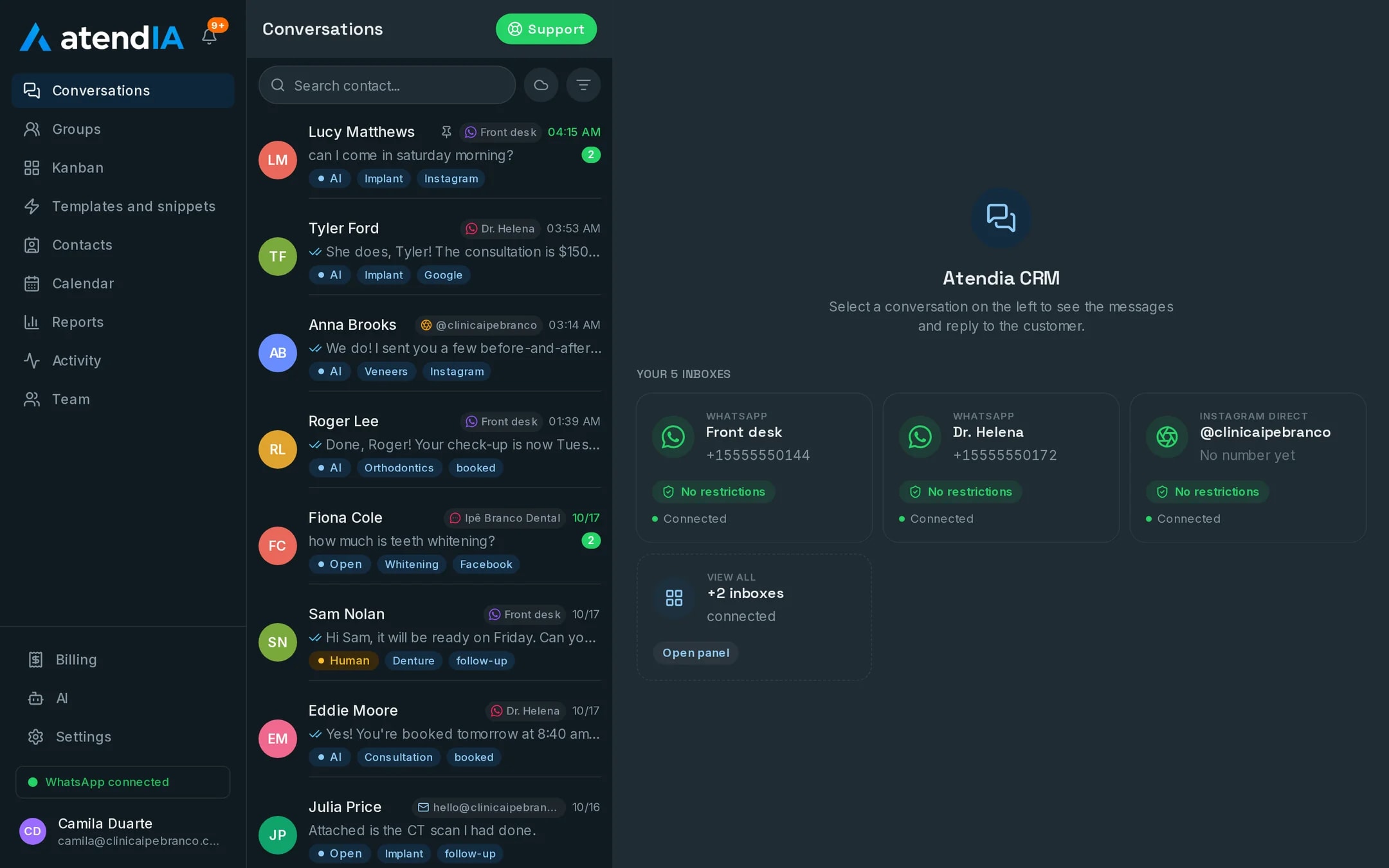
An insurance agency CRM puts all of the agency's WhatsApp conversations on one screen, sorts them by line of coverage and shows what stage each quote is in. atendIA does that with your whole team on the same number, with no per-user charge, and with an AI that replies at any hour and asks what the agent needs to quote.
The agency day fits into departments
When someone sends a first message, the automatic greeting shows a menu of teams. They pick one and the chat lands in the queue of whoever handles it. The auto agent does not lose time on health plans, and the policyholder with a claim does not wait behind someone who only wants a price.
- Auto, Life, Health and Commercial as departments, each with its own team
- Claims and assistance in their own department, outside the sales queue
- Distribution by round robin or to the least busy agent
- A stalled conversation goes back to the queue, so nobody is left without a reply because someone is on vacation
- Transfers between agents and departments without losing a line of history
Each quote step and who does it
| Step | Who does it in atendIA | Starting at |
|---|---|---|
| First contact from an ad | The system tags which ad brought the chat | Basic |
| Ask the car make, model, year and ZIP code | The AI, with the questions you set | Essential |
| Ask ages and number of people for a health plan | The AI, at any hour | Essential |
| Build the quote with the carriers | The agent, with the details already in the chat | Basic |
| Negotiate and close | The agent, in the same history | Basic |
| Follow up with people still thinking | Pipeline with the agency's stages | Basic |
For agents who sell health plans
Health plan agents live on ad volume and fast replies. The AI answers the minute the person writes, asks how many people, their ages and the city, and hands over to the agent with one click when the chat calls for a proposal. In the AI rules you define what it never promises, such as waiting periods, coverage or a final price, and it hands over to a person at that point. Voice notes your customers send get a transcript underneath, so the agent reads instead of listening.
The policyholder belongs to the agency, not to the agent's phone
Everything the policyholder said, from the first quote, stays in their history inside the agency. When a renewal or a claim comes in, whoever answers sees what was bought and agreed, even if the agent who made that sale has left. Every conversation has an owner and a record of who did what. Data is kept separate for each company and conversations do not train AI models.
How to get started
- 1Create your accountSign up with your company details. 7 days free, no credit card.
- 2Connect WhatsAppScan the QR code, just like WhatsApp Web. Your number and conversations stay the same.
- 3Create departments by lineAuto, Life, Health, Claims. The team menu shows up on its own for anyone who writes in.
- 4Build the agency pipelineQuote requested, quote sent, negotiating, closed. Drag each client to the stage they are in.
Plans and pricing
Departments, queue, pipeline and the ad-source tag are included from the Basic plan, at $49 a month. The AI that collects quote details at any hour is the Essential plan, at $99.
See all plansFrequently asked questions
Does each agent see only the conversations for their line?
Each department has its own queue and each conversation has an owner. The client picks a team from the automatic menu and lands in the right queue, and a transfer between lines carries the history along.
Can the AI make up prices or promise things we do not do?
It answers within the rules you set, including what it must never promise and when to hand over to a person. On the Professional plan, price and duration come from your service catalog, not from a guess.
Is there a limit on messages or users?
No. Messages are unlimited on every plan, and you add as many users as you need, with no per seat cost.
Can it integrate with the system I already use?
Yes. atendIA has a documented API and webhooks for messages, contacts and appointments, available as an add-on on any plan.
Updated on
Start serving customers better today
Try atendIA for 7 days with your team and your customers. No credit card, no long-term contract.