
Events
Event CRM, from the quote to the venue tour
A bride writes on Instagram at 11 pm asking whether a date in May is free. A company wants a quote for a holiday party for 200 people. Both expect a fast reply and only book after touring the venue. Here the AI asks what matters, the tour goes on the calendar and the pipeline shows every open quote.
- 7-day free trial
- No credit card
- Cancel anytime
The short answer
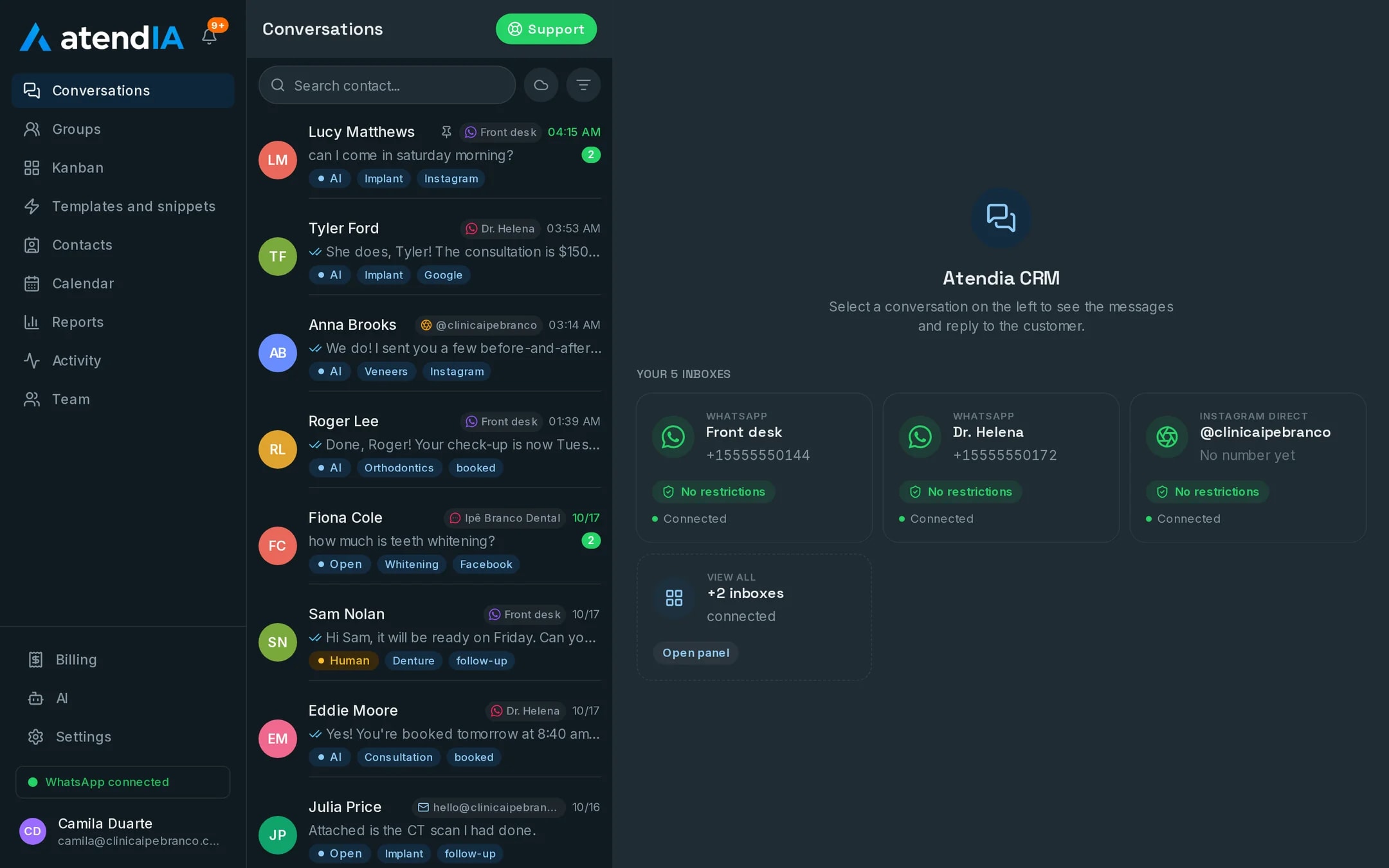
An event CRM follows each quote request in a pipeline, from first contact to the contract, and books the venue tour and the tasting on a calendar with no double booking. atendIA does that with WhatsApp and Instagram on one screen, your whole team on the same number and an AI that replies at any hour, asking the date, the type of event and the number of guests.
The event quote pipeline
| Stage | What happens | Who handles it |
|---|---|---|
| Quote request | Date, type of event and guests collected | The AI, at any hour |
| Venue tour | Booked on the calendar of whoever hosts | Sales or the AI |
| Tasting | Time booked with the kitchen | Sales |
| Proposal sent | Pricing and package discussed | Sales |
| Contract closed | Date reserved and deposit paid | Sales |
| Pre-event | Final details with the client | Production |
What the AI asks before sales steps in
On the Essential plan, the AI replies in your venue's tone and asks the questions you wrote. Sales opens the chat with the event already sketched out.
- Type of event: wedding, birthday, graduation, corporate
- Preferred date or month, and whether there is a backup
- Approximate number of guests
- Whether they need catering, decor or just the space
- How they found you, beyond the automatic ad tag
Tours and tastings with no collisions
An event venue lives on tours: people who come see the ballroom usually book. In atendIA the tour and the tasting are services with their own length, booked on the calendar of whoever will host the client, and the ballroom or the kitchen counts as a room, so two tours do not land at the same time. On the Professional plan, the AI sees the open slot and books the tour in the conversation. Your team sees the calendar on their phone through Google Calendar, Apple or Outlook.
Weddings, corporate and social events in their own queues
With departments and the automatic team menu, the bride goes to the wedding planner and the company HR contact goes to corporate sales. A transfer carries the history along, and the production team picks up a booked event knowing everything that was agreed. The bride's long voice note shows a transcript underneath, every conversation has an owner and the report of incoming chats, closings and conversion shows how many quotes became contracts.
How to get started
- 1Create your accountSign up with your company details. 7 days free, no credit card.
- 2Connect WhatsAppScan the QR code, just like WhatsApp Web. Your number and conversations stay the same.
- 3Enter the tour and the tastingWith a length and who hosts. The calendar and the AI book from there.
- 4Build the quote pipelineWith the venue's stages, from the request to the contract.
Plans and pricing
The quote pipeline and the tour calendar are included from the Basic plan, at $49 a month. The AI that collects date and guest count at any hour is the Essential plan, at $99, and the one that books the venue tour is the Professional plan, at $199.
See all plansFrequently asked questions
Can I keep wedding quotes and corporate event quotes separate?
Yes. Each becomes a department with its own team. The customer picks in the automatic menu and lands in the right queue, and the pipeline shows the quotes for each.
Can the AI make up prices or promise things we do not do?
It answers within the rules you set, including what it must never promise and when to hand over to a person. On the Professional plan, price and duration come from your service catalog, not from a guess.
Which channels can I connect?
You connect WhatsApp yourself by scanning a QR code, with up to 10 numbers. Instagram, Messenger, Gmail and WhatsApp through the official Meta API are connected by our team, together with you. Everything lands in the same inbox.
Does the calendar work with Google Calendar?
The calendar lives in atendIA, with the professional, room and duration of each service. In Google Calendar, Apple or Outlook you subscribe to it through a private link, and the slots show up next to your own events.
Updated on
Start serving customers better today
Try atendIA for 7 days with your team and your customers. No credit card, no long-term contract.