
Messenger in the inbox
Messenger CRM for business, in the same inbox as WhatsApp and Instagram
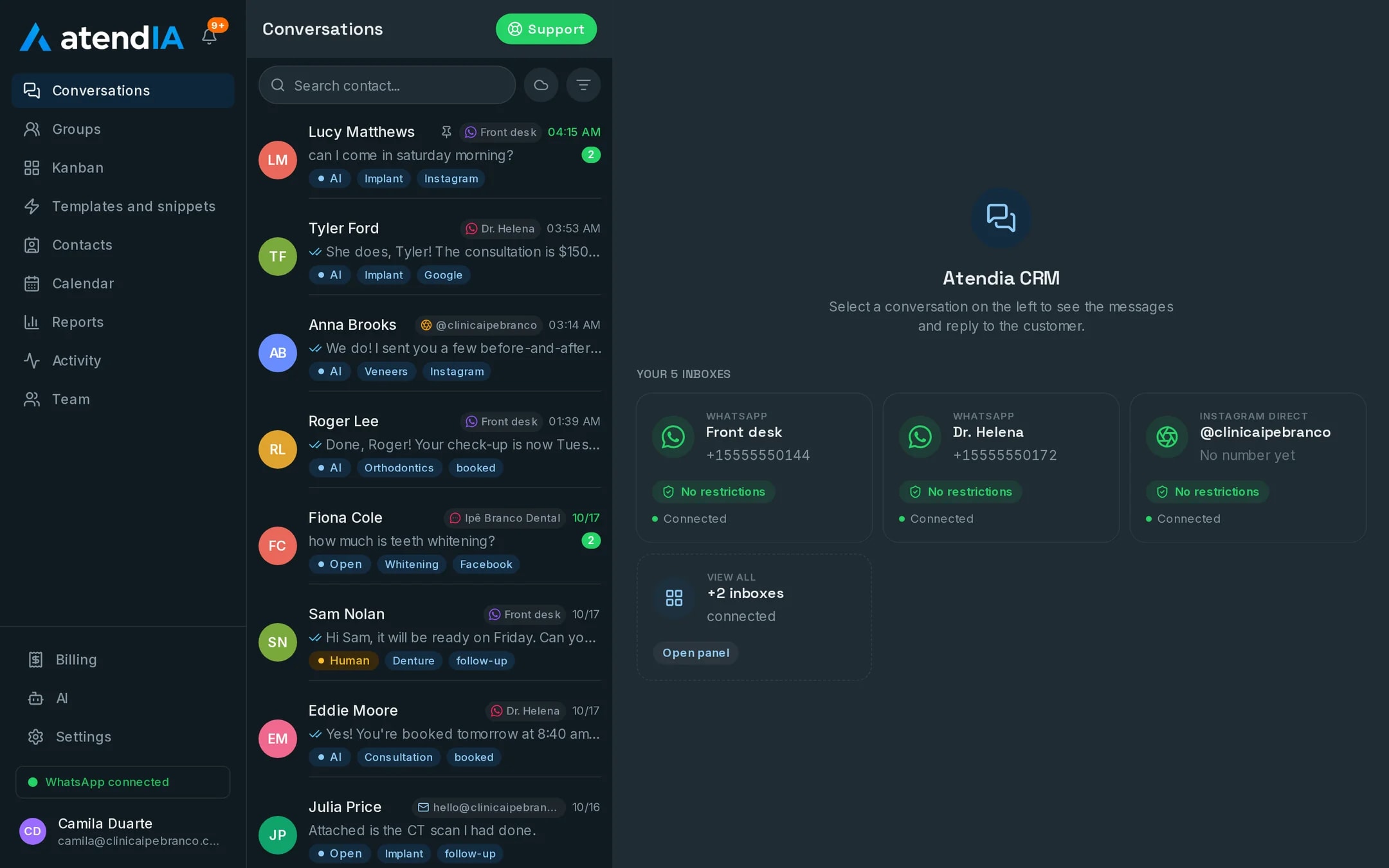
A message that arrives through your Facebook page deserves the same fast reply as WhatsApp. In atendIA, Messenger lands in the same list of conversations, with an owner, a queue and the customer's history alongside the other channels.
- 7-day free trial
- No credit card
- Cancel anytime
The short answer
To answer on Messenger as a business, the way is to bring your Facebook page inbox to the same place where your team already answers WhatsApp and Instagram. In atendIA the three inboxes become one list, each conversation with an owner. On the Essential plan the AI also answers on Messenger, 24 hours a day, in your company's tone.
The channel nobody remembers to open
Whoever arrives through your Facebook page has already seen the post, the ad or the review and decided to ask. The problem is that the page inbox sits in a tab nobody opens often, and the reply goes out the next day. When Messenger lands in the same queue as WhatsApp, the message shows up in front of your team the moment it arrives.
Messenger, Instagram and WhatsApp in one place
The most common question from people searching for this is whether they can stop jumping between apps. You can. This is the day to day difference.
| Day to day | Each channel in its own app | With atendIA |
|---|---|---|
| Where the message arrives | In three different places | In one list, with the channel tagged |
| Who answers | Whoever remembers to open it | The conversation owner, through the queue |
| Customer history | Spread across the inboxes | Together, on the same contact |
| Reply outside business hours | Waits until the next day | The AI answers 24 hours on Essential |
| Customer voice message | Someone has to stop and listen | Transcribed under the audio |
What your team gets on Messenger
- Each Messenger conversation with an owner, department and queue, like WhatsApp
- Automatic distribution by round robin or to whoever is least busy
- Transfers between agents and departments without losing the history
- Quick replies, tags and history search working for Messenger too
- Automatic transcription of the voice messages customers send, included on every plan
- A record of who answered, transferred or closed each conversation
The AI answering on Messenger
On the Essential plan the AI handles Messenger with the same instructions it uses on WhatsApp and Instagram. It understands voice messages, follows the rules for what it must never promise and when to bring in a person, and hands the conversation to your team with one click, in the same history. A group gets the alert when the conversation goes to a human and when it closes.
How to get started
- 1Create your accountSign up with your company details. 7 days free, no credit card.
- 2Connect WhatsAppScan the QR code, just like WhatsApp Web. Your number and conversations stay the same.
- 3Connect Messenger with our teamOur team connects your Facebook page together with you. From then on, Messenger lands in the same inbox.
Plans and pricing
Messenger lands in the inbox on any plan, starting at $49 a month. The AI answering on Messenger starts with Essential, at $99.
See all plansFrequently asked questions
Do Messenger and Instagram show up on the same screen?
Yes. Messenger, Instagram and WhatsApp conversations appear in the same list, each tagged with its channel, and the customer's history stays together.
Do I need another device or app to answer Messenger?
No. atendIA opens in the browser, with nothing to install, and the whole team answers Messenger from the same screen where they answer WhatsApp.
Which channels can I connect?
You connect WhatsApp yourself by scanning a QR code, with up to 10 numbers. Instagram, Messenger, Gmail and WhatsApp through the official Meta API are connected by our team, together with you. Everything lands in the same inbox.
How is the AI set up?
You fill in a form about your business: what you sell, prices, opening hours and what it must never promise. The AI starts answering from that, and its instructions stay editable in the dashboard.
Is there a limit on messages or users?
No. Messages are unlimited on every plan, and you add as many users as you need, with no per seat cost.
Updated on
Start serving customers better today
Try atendIA for 7 days with your team and your customers. No credit card, no long-term contract.