
Many numbers, one inbox
Multiple WhatsApp numbers in one place
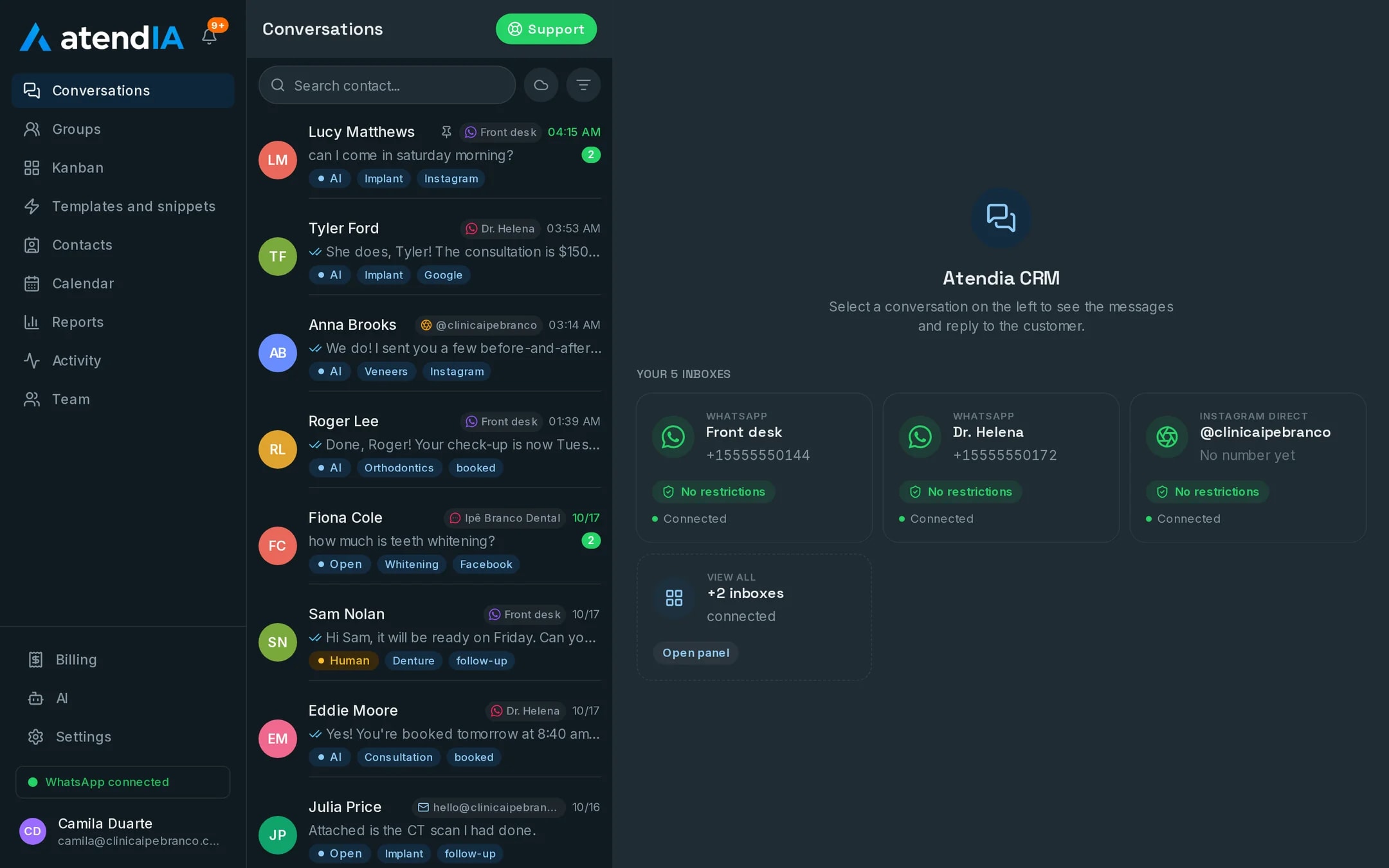
One number for sales, another for support, one for each location. In atendIA they all land in the same inbox, with a filter by number, and each one goes to the right team.
- 7-day free trial
- No credit card
- Cancel anytime
The short answer
To use multiple WhatsApp numbers in one place, you connect each number to the same inbox. In atendIA that is up to 10 numbers by QR code, each scanned like WhatsApp Web. The conversations show up together, you can filter by number, and each number can go to its own department.
Why companies end up with several numbers
First comes the store number. Then one for billing, another for support, one for the second location. Each on a phone, each phone in a drawer. The customer messages the wrong number and nobody sees it. With the numbers in the same inbox, your team sees everything on one screen and the history stays with the company.
Several phones or one inbox
| Day to day | One phone per number | Numbers in atendIA |
|---|---|---|
| Where conversations live | Scattered across devices | In the same inbox, with a filter by number |
| Who answers each number | Whoever has the device | The department team for that number |
| Customer on the wrong number | Waits for someone to notice | Transferred to the right department with the history |
| Manager keeping track | Picking up phone after phone | Reports on incoming conversations, closings and conversion |
| Employee who leaves | Takes the history along | The history stays with the company |
How to organize the numbers
- One number per department, such as sales, support and billing
- One number per location, with the team of each place
- A filter by number in the inbox so each team sees what is theirs
- Automatic greeting and department menu, sending the customer to the right queue
- Transfers between departments without losing the history
- An unlimited team, with no per-user charge, to cover every number
The same standard of service on every number
Quick replies, tags, the sales pipeline and voice message transcription apply to every number on the account. On the Essential plan the AI answers on all of them, in the company's tone, and hands over to the right person when needed. It is the same operation that already runs through here every month:
- More than 220,000 messages exchanged with end customers
- More than 26,000 conversations handled from start to finish
- More than 20,000 appointments booked inside WhatsApp
How to get started
- 1Create your accountSign up with your company details. 7 days free, no credit card.
- 2Connect WhatsAppScan the QR code, just like WhatsApp Web. Your number and conversations stay the same.
- 3Connect the other numbersScan the QR code of each number you want to bring in, up to 10, and choose a department for each one.
Plans and pricing
Numbers by QR code come with any plan, starting at $49 a month, with unlimited messages. For the AI to answer on all of them, Essential, at $99.
See all plansFrequently asked questions
How many WhatsApp numbers can I connect?
Up to 10 numbers by QR code on the same account, all in the same inbox, with a filter by number.
Can each number have its own team?
Yes. You organize the numbers by department, and each number's conversations go to the right team's queue. Transfers between departments keep the history.
Do I have to change my WhatsApp number?
No. You connect the number you already use, and conversations stay the same for your customers.
Is there a limit on messages or users?
No. Messages are unlimited on every plan, and you add as many users as you need, with no per seat cost.
Will my team be able to use it?
Yes. The dashboard works like WhatsApp with more features: conversations on the left, the open conversation next to them and the pipeline as a drag and drop board. Your team starts answering the same day, with no formal training.
Updated on
Start serving customers better today
Try atendIA for 7 days with your team and your customers. No credit card, no long-term contract.